
How to Talk to Strangers Online
How to talk to strangers online, in one line: treat the first message as a low-stakes hello, not a performance. Pick a topic you like, ask one open question, and press Next without guilt when a chat goes nowhere. Here are openers that work in a random chat, what to keep private, and how to stay safe.
By the ChatDuo team · Last reviewed: 12 November 2026
Before you start
Know what you want. A ten-minute distraction, language practice, a long talk with someone on another continent: knowing your reason makes the first message easier. If you want practice, say so in your opener.
Lower the stakes. The other person pressed the same button as you, is just as new to this chat, and has no profile to protect either. A dull chat ends with one click, and the messages are not kept after the chat.
Set up your side. On video, face a window or a lamp, keep the camera at eye level and check what is behind you. ChatDuo is 18+ only; you confirm that before your first chat in a tab.
How to talk to strangers: ten openers that work in a random chat
The start panel asks “What do you wanna talk about?” and lets you add interests such as Music, Games or Just chatting. With an interest set, the search first looks for someone who shares it, so your opener starts from common ground; if nobody does within a short wait you are matched with anyone, so keep a general one ready too.

“Hi! I put down Music as an interest. What have you been listening to this week?”
“We both picked Games. What are you playing at the moment, and is it any good?”
“Hello from a rainy evening in Europe. Where are you, and what time is it there?”
“Quick one: coffee or tea? Morning person or night owl?”
“I am practising my English. Would you mind chatting slowly for a few minutes?”
“What is the last thing that made you laugh out loud?”
“I picked Surprise me, so surprise me: tell me something you are into that most people are not.”
“Describe your day in three words.”
“If you could live anywhere for a year, where would you go?”
“Honest question: what brought you to a random chat tonight?”
All ten are short, end in a question and ask for no personal details. Skip the “age, sex, location” opener: it says you want a category, not a conversation, and it invites a Next.
Keeping it going
Follow the detail. When someone says they are playing an old strategy game, ask which one and why. The second question is where small talk becomes a conversation. What, why and how keep things moving; yes-or-no questions close them down.
Give something back. An interview runs dry fast, so answer your own question and add a short opinion. On video, let pauses happen.
Practise a language. Set the chat language to the one you are learning, say in your first line that you are a learner, and ask to be corrected. People are usually patient when they know why you are slow, and each new chat can bring a different speaker of the language.
What to share and what to keep private
ChatDuo has no accounts or profiles, so a stranger learns only what you choose to say or show. That makes the line simple to draw.
Fine to share
A first name or nickname, your country or time zone, hobbies and opinions, what you do in broad terms, and whether you want a short chat or a long one.
Keep private
Your full name, address or neighbourhood, phone number, email, social media handles, workplace or school, photos of an ID or a card, and anything you would not want a stranger to keep.
On video, treat the camera as public: the other person can see and hear you and could record their own screen. ChatDuo does not record video or audio, and messages are relayed live and not kept after the chat, but nothing stops the other person taking a screenshot.
When to press Next
Next is a normal part of random chat, not an insult, and the person on the other side has the same button. Press it when:
- two openers have had nothing back;
- someone asks for personal details, money or a move to another app early on;
- anything sexual, aggressive or against the rules appears;
- you are simply not enjoying it. You owe nobody an explanation.
In a video chat on a phone, swipe the stranger’s video to skip. Stop ends the session instead. If both of you choose to reconnect after a good chat ends, you are reunited.
Staying safe while talking to strangers online
Random chats are mostly ordinary; the few that are not are why Report and Block sit in every ChatDuo chat. With Report you pick a reason and press “Report and end chat”; when several different people report the same person within 24 hours, that person is banned automatically. Block ends the chat and the two of you are never matched again. Use them instead of arguing.
Three more habits: never meet someone offline from a random chat; do not follow links or download anything a stranger sends; and if someone looks under 18, end the chat and report it. The safety page explains what ChatDuo does and does not do, and the Community Guidelines set out the rules.
Text or video first?
If you are nervous, start with the free text chat with strangers. Typing gives you a moment to think and nobody sees your face. After a few text chats, video tends to feel like a small step.
Random video chat is quicker to read: a face and a tone of voice take the guesswork out of jokes and silences. Mute and Camera off are one tap away if you want to ease in.
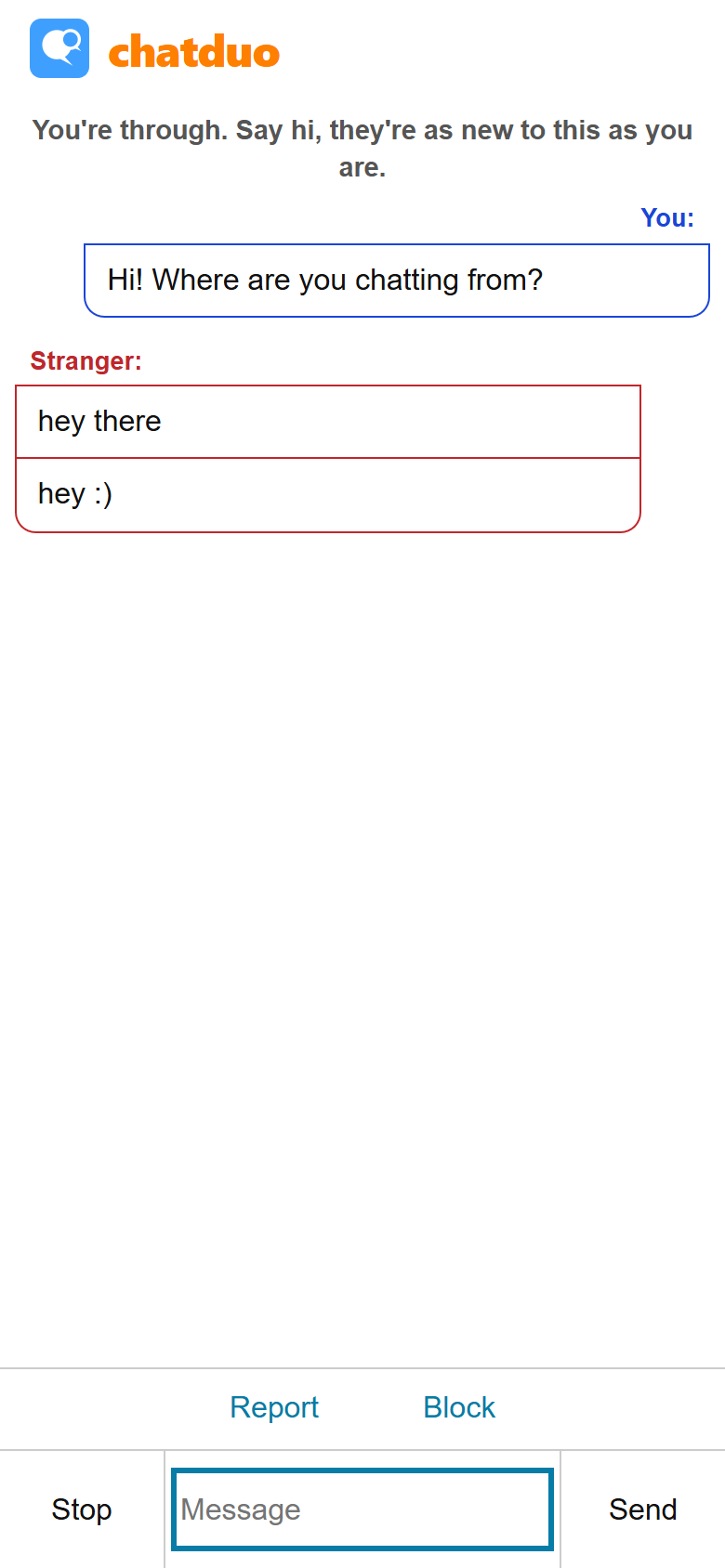
Both modes are free, need no account or app, and work on phones and desktops; to switch, press Stop, then Leave to return to the start panel and pick the other button. More are on the guides page.
Frequently asked questions
How do you talk to strangers without feeling awkward?
Keep the first message short: say hi, name the interest you both picked or ask one open question, and let the other person answer before you add more. Nobody in a random chat expects to be impressed. If nothing comes back after two attempts, press Next.
How do I start chatting with strangers on ChatDuo?
Open the homepage and choose Text or Video, adding an interest first if you want the search to look for someone who shares it. Before your first chat in that tab, tick the box confirming you are 18 or older and accept the rules, then press Start text chat or Start video chat. You are connected to one random person; use Next for someone new or Stop to finish. No account or download is needed. The how it works page shows each step with screenshots.
Is it rude to press Next?
No. Next is how random chat works, and the person on the other side has the same button; a chat that is going nowhere is better ended than forced. Press it for silence, for requests for personal details, for anything that breaks the rules, or because you are not enjoying it.
Can I meet new people online without making an account?
Yes. ChatDuo has no accounts, profiles or sign-up: open the site in a browser, accept the rules and start. A stranger learns only what you choose to tell them. There is no friends list, but if you both choose to reconnect after a chat ends you are reunited.
Is talking to strangers online safe?
It carries the same risks as talking to anyone you do not know, so your habits matter most. Keep your full name, address, phone number, workplace and social handles to yourself, treat the camera as public, never meet someone offline from a random chat, and report rather than argue. The safety page covers what ChatDuo adds.